


Welcome back to The Customer Continuum. Issue #30.
Last week I ran two AI agents against each other. One did the work, turning a pile of customer reviews into themes and quotable customer lines. The second one had a single job, which was to read the first one’s output and tell me whether it was safe to ship. The working agent came back clean. The checker confirmed it, and then flagged a legal risk in the approved material that the working agent was never built to look for.
A lot of you wrote back asking the same thing, which was some version of “fine, but give me the actual thing.”
So that's this issue, and it skips the build report entirely. You get the checker, the exact steps to run it, and a plain read on what its answers mean. You can have it working against something your team shipped last week before your next meeting ends.
What this is, in one paragraph
A validator is a second AI whose only job is to review another AI’s finished work and tell you whether it’s safe to send, publish, or hand to a customer. It doesn't write anything or edit anything. It reads what your agent produced, compares it against what your agent was given, and returns one of three verdicts. Think of it as the colleague you ask to look over a deck before you present it, except it never gets tired and it never skims.
You need this the moment any AI is touching work a customer will see, which for most teams was about six months ago.
Set it up (three minutes)
Open a brand-new Claude Project. Not the one where your working agent lives. A fresh, empty one with no shared history, because a checker that shares a brain with the worker isn’t a check, but really a mirror.
Paste the full validator prompt from the kit into that project’s custom instructions. Nothing else goes in the project. No files, context, or notes.
That's the whole setup, and everything else comes down to how you feed it.
Run it (90 seconds)
Every check needs exactly three things, sent as one message, in this order.
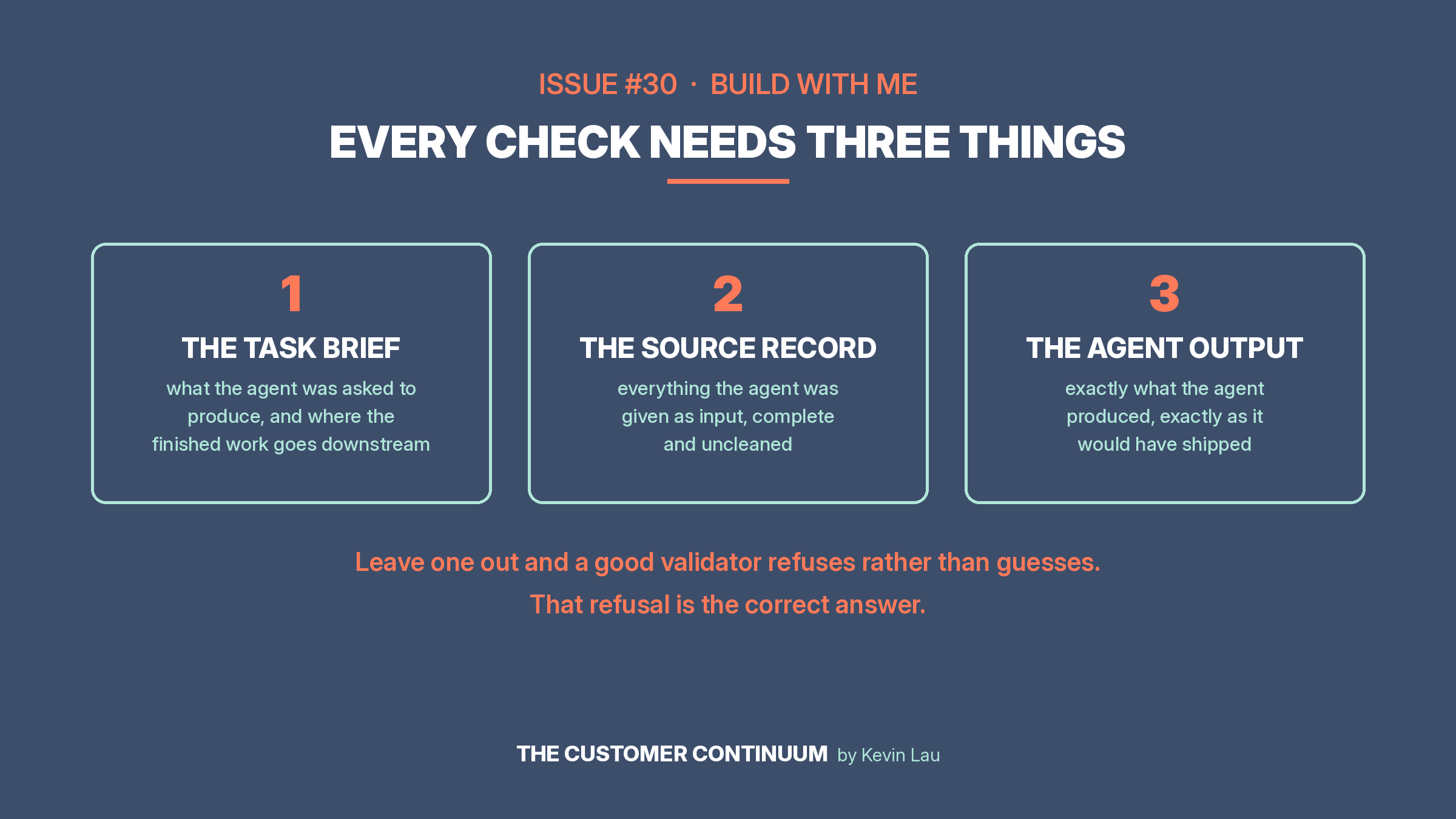
The task brief. Two to four sentences telling the checker what your agent was supposed to produce, and critically, where the finished work goes. “This synthesis feeds marketing and sales collateral that customers will see” is a completely different instruction than “this is an internal summary for my team,” and the checker will judge the same artifact differently depending on which one is true. The downstream destination is the most important sentence you’ll write.
The source material. Whatever your agent was given. The reviews, the transcript, the customer record, the data export. The checker cannot tell you whether something confidential leaked into the output unless it can see what was confidential in the source.
The finished work. The artifact itself, complete and exactly as your agent produced it. Don’t clean it up first. You’re checking what would have shipped.
Send all three together and read what comes back.
If you leave one of the three out, a well-built checker will refuse rather than guess. Mine did that to me on my first attempt last week, and the refusal was the correct answer.
Read the verdict
PASS means ship it.
PASS WITH NOTES means ship it, and read the notes before the next run. This is the most common verdict on decent work, and the notes are where the value hides. Last week’s notes are what caught a competitor’s name sitting in an approved customer quote, which was perfectly clean on confidentiality and still a legal problem in external collateral.
REVISE means fix the named items and run the check again on the corrected version. Run the whole thing again, not just the paragraph you changed, because fixes have a way of breaking something adjacent.
Two things are worth watching for in your first month. If the checker returns REVISE on everything, it’s over-flagging, and an over-flagging checker gets ignored inside two weeks. If it returns PASS on everything including work you know had problems, it’s rubber-stamping. Either way, the prompt needs tuning, and the kit has notes on how.
What it actually catches
These are the four ways AI work goes wrong on anything a customer will see.
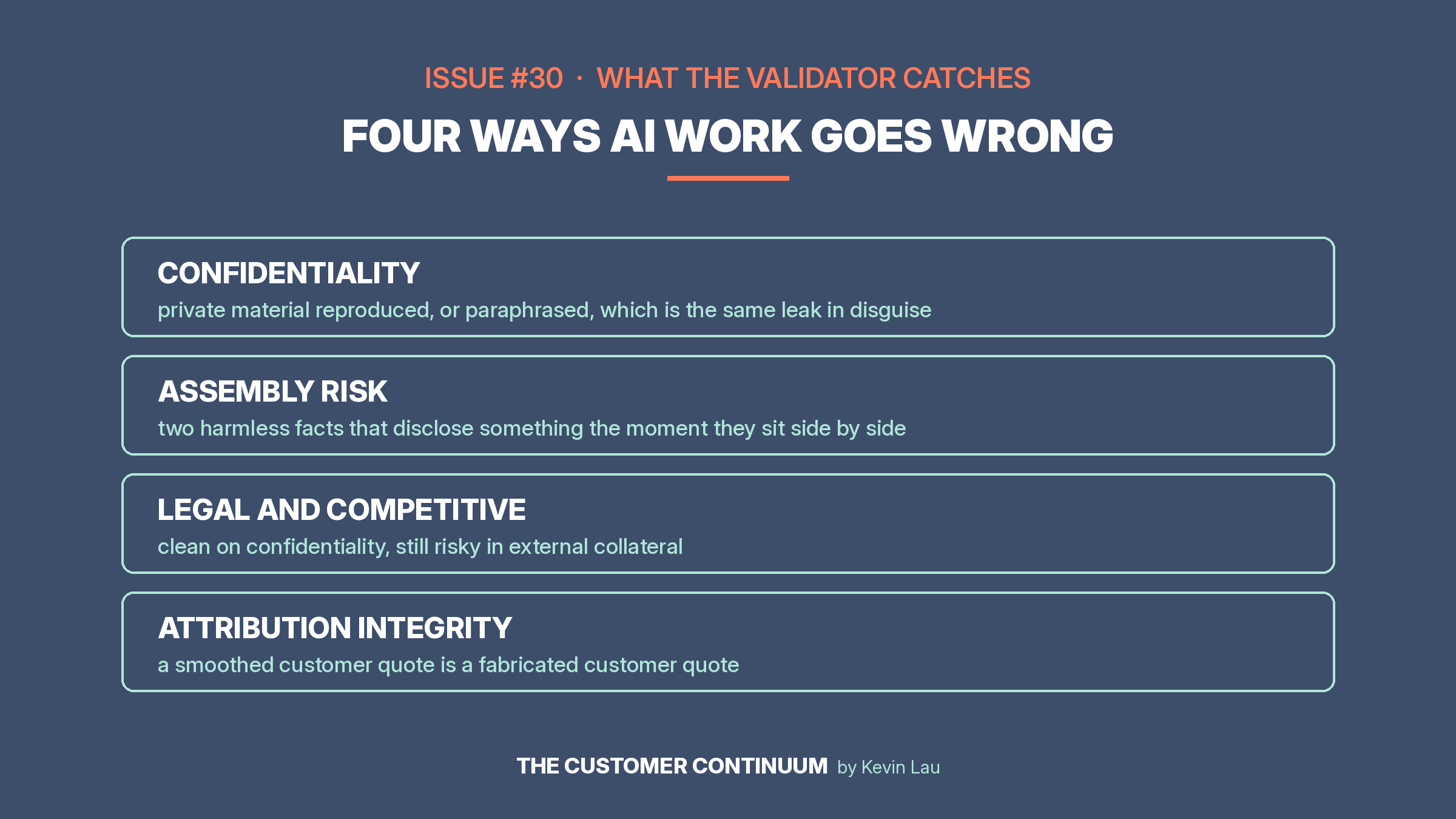
Confidentiality. Something the source treated as private showing up in the output. The trap is that this hides in paraphrase and not just quotes. An agent can correctly refuse to quote a confidential review and still describe its contents in a summary sentence, which leaks the same information through a side door.
Assembly risk. Two harmless facts that become dangerous when they sit next to each other. Last week’s test had exactly this: two separate reviews from the same company, each innocuous alone, that together disclosed a merger that wasn’t public yet.
Legal and competitive exposure. Content that’s confidentiality-clean and still risky. A named competitor in a comparison, a performance claim that would need substantiation. Your working agent almost certainly isn’t checking for this, because it wasn’t built to.
Attribution integrity. Quotes and figures that drifted from what the source actually said. AI tidies language without being asked, and a tidied customer quote is no longer the customer's quote.
Do this today
Pick one thing your team shipped in the last two weeks with AI’s help. A case study draft, a review summary, a campaign email, a community reply. Set the checker up, feed it the three inputs, read what comes back.
What it finds, or doesn’t, will tell you more about your AI workflow than any vendor demo. Most teams have never once confirmed their AI's work was safe. They've only assumed it.
This week’s kit
The full Chief of Staff Validator, updated with everything the last two runs taught me, so your version starts where mine finished. It’s operator-agnostic, meaning it checks any agent’s work, not just the one I happened to build. Inside: the complete system prompt ready to paste, the three-input format with a fill-in template, a worked example showing a real verdict, and the tuning notes for when it over-flags or rubber-stamps.
